Snapchat Background Snapcodes

Since we tend to use Google Meet instead of Zoom for virtual meetings, and Meet doesn’t have virtual backgrounds, I use Snap Camera on my Mac for virtual backgrounds.

Here’s some backgrounds I’ve created:

Caphora (for our D&D sessions)

Jesus Is Risen (for Easter)

Pentecost

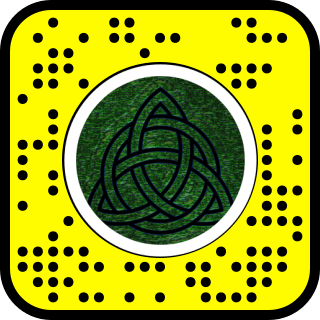
Trinity

Luther’s Seal (for Reformation)


Lament of the Early Adopter

I’m an updater. I check the App Store for iOS updates at least once a day, usually more. I always want the latest version with all of its new features and obscure bug fixes, because the newest is the best, right? And when the updates are free, why miss out on those new features?

Yet updates sometimes come with strings attached. Of course, some updates, especially on the desktop, are paid upgrades. If I’ve already paid for an app or been using it for free for a long time, I’ll keep using the old version until it breaks, or until I consider the new features worthy of a fee that’s usually less than a brunch date with my wife. Because I’m also cheap. And I’m more motivated to date my wife, even if I use that app every day.

But some updates come not with strings, but a burning fuse. Every time an iOS update installs, I anxiously check to make sure my Pebble Time smartwatch software still works. I’ve received the alert that PodBlaster, my favorite podcast listening app, is slow (32-bit) and will soon break, and the developer told me that he’s not developing it anymore. Other warnings are even more insidious. I use Magical Miles for mileage tracking, and it’s already unstable, but its available upgrade is a paid annual subscription service, a hard pill to swallow when I initially paid $5 for it but prefer free ad-based apps.

Desktop updates usually carry larger price tags, and much of the software of “the good old days” remains unmatched to this day. I got an overstock copy of Microsoft Word 5.1a in 1995, and the current version still lacks features it had when released in 1992, but 5 won’t run on my MacBook Pro, and even if it could, it’s not compatible with modern files. Microsoft Outlook Express 5 (1999) was the best email client ever made. If it came back with all of the features it had 20 years ago, I would run to it crying like a long lost lover. Oh, MSOE, how I miss you! GarageBand lost its podcasting capabilities. iMovie went from a professional-level video editor to a vacation clip organizer.

But time marches on, even if it takes steps back along the way. I miss my Palm Tungsten T3, but I love my iPhone, even if its calendar apps are just catching up now. I’ll keep upgrading, which will force me to eventually adopt new technology to remain compatible, and while I’ll miss certain features, I’ll gain the future.

What about you? What old features (hardware or software) have you lost that you miss?


Mail apps and Mac OS X

So it’s been awhile since I used Apple’s Mail app in Mac OS X. I just use Gmail‘s web interface on the desktop, Outlook on iPad, and Inbox & iOS‘s Mail in iPhone. Since I don’t use folders as much anymore to sort mail and just depend on search to find old messages, and I’d really like a dedicated email app, I was hoping to go back to Mail.

Exquisite-gmail blue

Exquisite-gmail blue (Photo credit: Wikipedia)

But sadly, I’ve grown too accustomed to Gmail’s Primary Inbox that automatically moves all my bacn and social network mail to other tabs so I can focus on the most important messages. Outlook for Mac OS seems to be improving in that direction with their “clutter” feature, but it’s none too smart in this regard out of the box, and I don’t have time to tutor it. And El Capitan doesn’t show any signs of adding this functionality.

My favorite Mail app of all time remains Outlook Express for the classic Mac OS.

So Mac Gmail users, have you found a desktop app that you like?


SOHO Contacts Skins

SOHO Contacts Themes

These skins were made for use with SOHO Contacts, part of the SOHO Organizer suite from Chronos L.C.

Simply drop the skin folder into startup drive: Library: Application Support: Chronos: SOHO Contacts: Themes. Launch SOHO Contacts. Choose Preferences: Layout and choose the Theme from the pop-up menu.

Penny: My first quick and simple skin for Contacts. Worth the title or slightly less.


iPod Skins

iPod Skins

All Infinity Ltd. iPod skins are designed for use with 4th Gen Mac-formatted iPods. I test them on a 20GB, but it should work fine on a 40GB. They may work with other models, but I make no guarantees and am not responsible for you frying your iPod!

Also, these skins will not work on WinDOS-formatted iPods. WinDOS users must use PodWizard.

These were made using alterPod, GraphicConverter, and Photoshop. You’ll need alterPod to install iPod skins.

sithPod

sithPod is a total conversion for your iPod. The “Do not disconnect” image is replaced with Darth Vader’s head, shoot at A-Wing Fighters and their R2 droids from the Death Star in the Droid Zap game, and enjoy 3-D images as well (or the best that can be done in often 2-Bit graphics!). Celebrate Vader’s “birth” in Star Wars Episode III: Revenge of the Sith! (May 24, 2005) Ideally, use this interior skin with this exterior skin on a black & red U2 iPod (Now accepting donations!)


Palm OS Skins

Palm Skins

ZLauncher Skins (Low Res Only)

Michrome Screen Shot

Michrome Active TabMichrome, a Ruby & Chrome skin. Background Pic included

v. 1.1 available: ZL 3.x compatibility!

Old Glory, a skin celebrating the greatest nation in the world.

ZLauncher Background Pictures (160×160)

I did it! Finally! ZZTechs wrote me and gave me this tutorial, so now I have the pics available! These are ready to install on any 160×160 lo-res Palm device. Links with no images have no images because I forgot to copy them before installing. I’ll try to get around to it, otherwise I’ll post screen shots once I find a good screen shot app/DA.

Darth Maul of Borg

Harry Potter's Gryffindor Emblem

Hitchhiker's Guide to the Galaxy

Martin Luther's Seal

WinDOS TIE Fighter

Michrome BackImage

silver dragon.bmp.pdb: (Hint: This one will go well with Michrome, but it won’t be included due to ©opyright restrictions.

wolverine.bmp.pdb

Lockheed_Small.bmp.pdb

Freakazoid.bmp.pdb

ZLauncher Back Images for Tungsten|T3 (450×450)

These jpegs are designed to look good on a T|T3 regardless of screen orientation, slider in or out. They should work well for Tapwave Zodiac and other models that support 320×480 portrait and landscape mode.

  The Beast (AKA Hank McCoy)
T3 Superheroes: Batman, Superman, Flash, Green Lantern, Storm, and the Teen Titans, all in 450×450 splendor!
T3 Backimages Collection: If you have a T3, you might as well have T3 backimages! 450×450

More Christian (LCMS)back images available here

C5 CreditsContacts 5 Skins

iPod

  • Hi Res
  • Low Res

Packerland

  • Hi Res
  • Low Res

Wyrmworks

  • Low Res
  • Hi Res

For the Wyrmworks RPG designers

Old Glory

  • Low Res
  • Hi Res

Mac OS X

  • Hi Res
  • Low Res

Michrome

  • Hi Res
  • Low Res

Contacts 4 Skins

Note: These skins are provided as samples only. If you are using Contacts 4, you really should upgrade (Free) to Contacts 5.

Michrome, a Ruby & Chrome skin to match the ZLauncher skin

A Dragon in my Palm!

Wyrmworks: A Dragon skin

Icon Manager Icons

Compatible with DateBk5, HandyShopper, Agendus, and PDA Performance apps made after February, 2004.

OS X iCons: A collection of Hi Res icons based on my OS X Applications Folder content ILtd Low Res Icons 1.1: A collection of icons I made before I upgraded to a Tungsten|T3.


Kinoma Movies

(Temporarily unavailable—I forgot to back these up before switching servers. Oops!)

1984-pdb.zip: The original 1984 Macintosh commercial Nightmare After Christmas.zip: Just got new software for the kids, but config.sys? A Macintosh commercial. think different-pdb.zip: The award-winning “Think Different” Macintosh commercial. “Here’s to the crazy ones….”


StickyBrain Resource Page

StickyBrain IconStickyBrain Resource PageStickyBrain Icon

StickyBrain is an incredibly useful app from Chronos L.C. Think of it as a cross between Stickies, the Scrapbook, and the Notepad with a whole ton of extra features like hotkeys, alarms, and contact management. Oh, and it serves as a basic word processor, too. N.B. These notes are for StickyBrain 1.x, but most should apply to later versions.

Tips:

Note that screenshots use Kaleidoscope schemes available free from our Scheme page. (Kaleidoscope not included.)

Alarms

Snoozing Keyboard shortcut: When entering a snooze delay, you can type “m”, “h”, or “d” after the number to switch between minutes, hours, and days. No mouse required.

Hotkey tips & tricks:

Tips pending

Sticky Palette Tips:Stickies Palette

Tips Pending

Text Palette Tips:Text Palette

Tab stops in Sticky Windows
Q:
How do I change the tab stops in a Sticky window? I know I can change them in the Ruler-style window, but I want my window to be a Sticky window.
A: You answered your own question. Change the window to a Ruler window, adjust the tab stops or whatever other formatting you want (indent, etc.) and switch it back to “Sticky.” Your changes will be reflected. Just ignore the margins in the Ruler window, since Sticky windows have no margins.

Control Palette Tips:Control Palette

Tips Pending

Downloads:

I’ll also soon have texture packs available for StickyBrain. Check back often or subscribe to our mailing list. We won’t give, sell, or distribute your personal info to anyone, even if they do have a big guy named Guido banging on our door!

Who is this woman?

SB Corpse IconThe original version of StickyBrain had a bald, blue woman with gears in her head as the icon. While it was a nice color of blue, it was a bit eerie, like a Sinead O’Connor corpse with cerebral implants.

So Chronos changed their icon to this image of a strawberry-blond lady with glasses who bears a striking resemblance to Jamie Lee Curtis. More than just the SB icon, though, she also appears in the button bar icons of Organizer 4, so it appears that she is something of a mascot for Chronos, like Sonic the Hedgehog or Clarus the dogcow.

Chronos has chosen to keep her identity a secret, so we are free to speculate about her identity! Here are my guesses. ]]>, and I’ll add them to the list! (This is all in fun, so Chronos guys, no offense, okay? You asked for it!)

  1. One of the employees. So far, I’ve never had contact with a female employee, so I wouldn’t bet on this one, unless “Dan” is short for “Danielle”.
  2. One of the employees’ wives. We know that at least one of the engineers (Rob) is married, supporting this theory.
  3. She’s a digital Frankenstein. They took images of all their dream girls and amalgamated them into the ultimate dream girl, kind of like Betty Crocker. If you use the Chronos spell-check on the word “Chronos,” (which, interestingly, isn’t in the dictionary by default), one of the suggestions is “hormone,” which would support this theory. The fact that the first SB icon looked like a corpse would also lend to the Frankenstein idea, not to mention the Jamie Lee Curtis similarity.
  4. ]]> (If you submit an idea, let me know if you want your name/e-mail address posted with it.)

Note: She’s not the icon in SB 2. What happened? Girlfriend left? Divorce? Unknown employee left? Jamie Lee Curtis sued Chronos? The ACLU sued for discrimination against digital organisms?


All standard lawyer mumbo jumbo applies. Infinity Ltd. is not affiliated with Chronos, Apple, or pretty much anyone else. Use these tips or downloads at your own peril. If they crash your Mac or cause your girlfriend to leave you or cause your kidneys to be sold on the black market, we take no responsibility. Also not responsible for eyestrain from reading fine print at the bottom of web pages.


POGO meets Godzilla II

Chronos Using POGO 4 with OS 8.6 Chronos

Aqua Events look cool in POGO, but which OS you’re using you may affect whether you choose to use them or not. Quite simply, they don’t look nearly as good in 8.6, better in 9.x, and even better in X. Note the comparison:

Aqua Events in OS 8.6

Aqua Events in OS 9.1

Aqua Events in OS X

Palm Sync works with POGO 4 under OS 8.6, but you need the older conduit from POGO 3. It’ll sync as well as POGO 3, so you’re just missing out on the new features in the POGO 4 conduit: improved speed and better compatibility with To Do status.


Of course, yours won’t look nearly so cool if you don’t have my Kaleidoscope Schemes.


POGO meets Godzilla

Chronos Dale’s POGO FAQ Chronos

A collection of tips & answers to frequently asked questions regarding Chronos’ Group Organizer & Personal Organizer.

Subscribe to the POGO-Talk list, an unofficial replacement for the old Chronos-sponsored list.

Chronos Organizer and TechTool Pro 2

The Fix

Because of the way Chronos’ Personal Organizer & Group Organizer (POGO) back up files, there’s a minor problem with Micromat’s TechTool® Pro 2 “Trash Cache” feature. If you use them both, you’ll want to make sure that your Trash Cache settings in the TechTool® Protection control panel are set as follows:

N.B. The same should hold true for TechTool® Pro 3+, but I haven’t tried it.

POGO 4 Update: Notice the new settings.


If you can't see this, it's kinda pointless, huh?

Long Distance Dialing

> I, too, like the feature that Consultant can dial for me and record
> the info. re the call. But sometimes, it thinks the number is long
> distance and adds a 1, if the exchange (1st 3 numbers) are different
> from the ones it knows. How do I let it know that certain exchanges
> don’t need a 1?

This is probably more of a weakness of our phone system than POGO, but here is the fix for dialing:

1. In Dialing options, remove the local area code under “Location Settings”.

2. For local numbers, don’t include the area code in the entry.

It does the job for me, but it has some weaknesses if you’re traveling around the world with it.

Enable Images or you just won't get it....

Known bugs in POGO 4

  1. If you have a 601 processor (X1XX), forget about changing the button bar except the size. Moving icons in, out, or around the bar will result in a crash, usually a Type 2 error.

Converting contacts to memos

Since I keep confidential info on members in GO, I need to make the contact notes private but the addresses, etc. public (or I will if I ever get a network set up here). How to do that? Copy notes into memos. Well, it’d take a long time to set up memos for all our members, which is what I did last time, so how to create memos with the names of the members as titles of the memos?

  1. Export Contacts as Comma-delimited. Only include Last Name & First Name in the fields to export.
  2. Open the file with BBEdit and find r and replace with rUser NametCategoryt (Then paste the extra into the first record.)
  3. Import memo as tab delimited as shown in the picture.

It’s that simple. I can’t believe I did it by hand last time. You can use the criteria to choose certain categories, etc. Make sure the labels & first record stuff is all turned off.

General Palm Tips

Do you have a big delay in the “Verifying Handheld Configuration” when you sync? Here’s a step-by-step what to do.

  1. Make sure your Palm is in good shape, not low on battery or anything, and make sure you’re running the latest Palm Sync software.
  2. Open to your Palm folder:Users:<User Name>:Backups.
  3. Empty the backups folder by selecting all & dragging to the trash.
  4. Hotsync.
  5. Preventative maintenance: if you sync on more than one Mac, set the Backup conduit on one of them to “Do Nothing,” preferably the one you hotsync with the least.

POGO & Palm Sync Tips

Alarm Tip: When you sync the datebook, alarm changes do not register as changes to be sync’ed. This is both good & bad. The bad side is that, if you want to change the alarm on both, it’s a pain. The good news, however, outweighs that. Do you really need your Palm and POGO giving you the same alarm at the same time? What are the advantages? Consider some suggestions:

  1. I have certain meetings for which I need to prepare reports. POGO reminds me of them several hours before the meeting so I remember to write the report. My Palm reminds me of the same meeting a few minutes before the meeting to remind me that it’s time to go.
  2. I don’t need my Mac to remind me that Monday nights on Leno is Headlines, but my Palm reminds me that 10:30 (CST) is time to turn on the TV.
  3. This morning, I was at a doctor appointment with my pregnant wife. While I was there, my Palm reminded me that, sometime today, I need to get some info to my secretary. I don’t need to know that while I’m @ the doctor’s, but I want the reminder in my face as soon as I get back to the office. I’m sure you can think of “a million household uses.”

 Warning: when you change the alarm, don’t change anything else in that event at the same time. The alarm time will probably sync, too. Note also that, if your Palm needs to be hard reset, you’ll lose the Palm-only alarms.

Public Alarms: In GO 4, public accounts don’t have alarms…or do they? Actually, they do, but only for Palm users. You can set an alarm for a public account’s event on your Palm. It’ll alert you on the Palm, but not in GO.

POGO Downloads

Activities Export Template: If you’d like to export some activities based on criteria, not just category, you can use this template. Just create your list in List view and fire up the Template Wizard.

Aqua Theme Texture: If you’re using OS X or an Aqua K-Scheme . (N.B. Aqua is built into POGO 4+ and is, in fact, the default, so if you’re running version 4+, you don’t need this.)

Misc. Texture pack: Yoda, Mac textures, and more.

Platinum Texture: If you’re a “plain vanilla” type who likes the appearance we all thought was so cool back in 1995.

Note that most of Infinity Ltd.’s Kaleidoscope Schemes include a texture set for POGO.

Of course, yours won’t look nearly so cool if you don’t have my Kaleidoscope Schemes.


Kaleidoscope Schemes

Kaleidoscope Schemes Wintel users: Your machine can't handle this page.

Original Schemes

These are all Schemes I’m playing around with and hope to eventually release.

When completed, they generally have complete icon sets, Outlook Express Sound Sets, Chronos Organizer textures, and the works. Some will also include Holiday Lights bulbs and/or Internet Explorer 5 skins. Watch this page for add-ons.

You can also find many of our schemes at the Kaleidoscope Scheme Archive.

Special thanks to Richard Bensam for Regia, which serves as a wonderful template, and thanks to Ethan Padgett of Chemicons, without whom I’d never have owned Kaleidoscope at all.

Veggietales Preview

Completed!

VeggieScheme: A tribute to the hugely entertaining VeggieTales® video series. VeggieScheme is complete. The official word from Big Idea Productions is that the scheme will have to wait for public release, but if you’re interested in a preview version, we can arrange that.

Wyrmworks Window

Completed!

Wyrmworks: A scheme commissioned by Wyrmworks. If you like dragons….

Version 2.0 Complete & ready for downloading. 2.0 fixes all bugs, adds a completely reworked icon set.

EMR Windows

Completed!

Excalibur: Morgana’s Revenge: Based on the Marathon game by the MMMG.

LCMS Window

Completed!

LCMS: Based on the official logo of The Lutheran Church–Missouri Synod. (Used with permission)

Now available! Note: I found out too late that the 32-bit icons look wrong. Open the scheme with ResEdit and delete the entire “icns” resource, and you’ll be all set.

1.1 will fix this bug and finally include a soundset or 2 as well as a StickyBrain Texture.

Old Glory Window

Completed!

Old Glory: Dedicated to all affected by the September 11 attack and those who fight for our freedom.

I will include add-ons here instead of including them with the scheme. I may include some patches here, too. Stay tuned.

Roy G. Biv Window Preview

Completed!

Roy G. Biv: This is an experiment in rainbow colors and gradients. It looks better in full color, but choosy webmasters choose GIF.

Gif JediReturn

Completed!

Holosite Partnership

JediReturn is an update of Holosite’s Jedi Scheme. It will include full K2 features, including a complete OS 8.5+ icon set, Folder Icon Maker set, and really cool WindowShade sounds. Tune in here for expansion packs as well.

100% Pure Jawa Window design

Machrome: This scheme has been postponed and currently exists as a Zlauncher Skin and Contacts 5 skins for Palm OS.


Note that I’m now running OS 9.1, so I can finally make & check my icns resources (32-bit icons)!


Here are custom 8-bit icons for your Mac. Click here to download Volume 1. Below are some samples:

Badger Folder (Mike Baron's)Empire Disk (Star Wars)Infinity Ltd. FolderMIDI Folder (cassette tape)Orc DiskRebel Alliance FolderStationery FolderShadowrun FolderSuperman FolderTeenage Mutant Ninja Turtles FolderOpen Tomb Folder (Easter Resurrection)Wakko Warner Icon (Animaniacs)